Digital Wellness Habits to Reduce Screen Fatigue
Screens are everywhere. They wake us up, guide our workdays, help us relax, and often follow us right into bed. Phones, laptops, tablets, and TVs make life more connected and convenient—but they also take a toll. If you’ve ever felt drained, unfocused, irritable, or physically uncomfortable after long hours on a screen, you’re not imagining it.
Screen fatigue is real. And the good news is that it’s manageable.
This article is for anyone who wants to feel better while living in a digital world. You’ll learn practical, science-informed habits that reduce screen fatigue without asking you to give up technology altogether. These habits are realistic, flexible, and designed to fit into everyday life.
By the end, you’ll have a clear, doable plan to protect your energy, your eyes, and your mental clarity—starting today.
What Screen Fatigue Really Is (and Why It Happens)
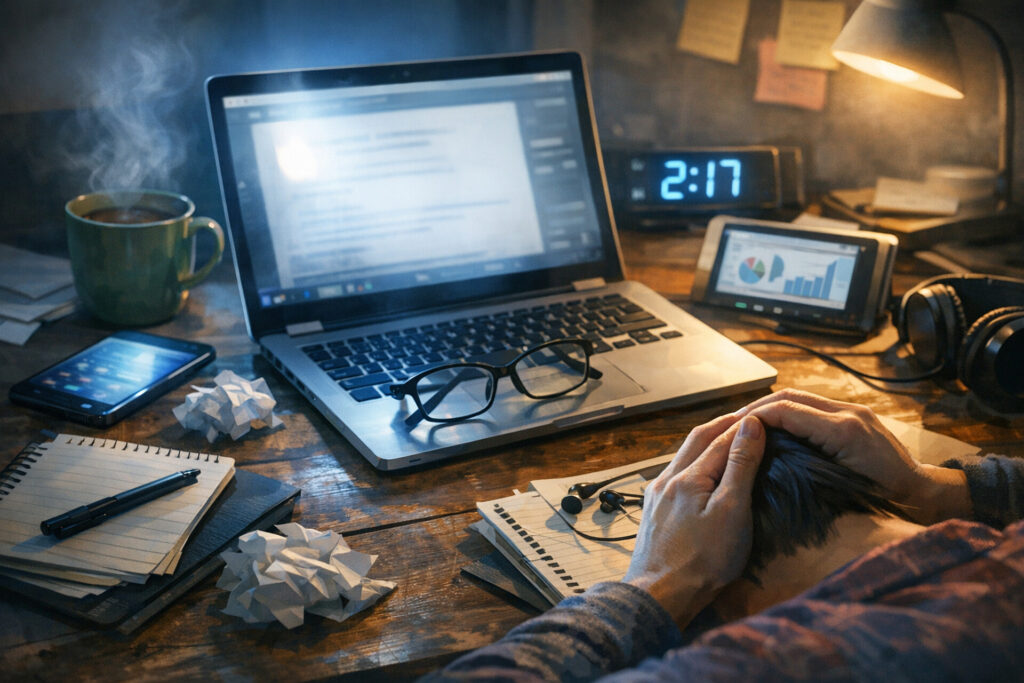
Screen fatigue isn’t just about tired eyes. It’s a mix of physical, mental, and emotional strain caused by prolonged screen use.
Common signs include:
- Eye dryness, irritation, or blurred vision
- Headaches or facial tension
- Neck, shoulder, or back pain
- Difficulty concentrating
- Feeling mentally “fried” or overstimulated
- Trouble winding down after screen use
These symptoms often build slowly. You might not notice them until they’re already affecting your mood or productivity.
The Root Causes
Screen fatigue usually comes from a combination of factors:
- Reduced blinking while staring at screens, which dries out the eyes
- Close focusing for long periods, which strains eye muscles
- Poor posture that stresses the neck and shoulders
- Continuous cognitive input, especially from fast-moving or emotionally charged content
- Blue light exposure that can interfere with natural sleep rhythms
Research published in peer-reviewed vision and occupational health journals consistently links prolonged screen time with eye strain and musculoskeletal discomfort. Medical organizations focused on eye health also recognize “digital eye strain” as a common modern condition.
Understanding these causes helps us address the problem at its source—through habits, not willpower.
Why Digital Wellness Matters More Than Ever

Digital wellness isn’t about rejecting technology. It’s about using it in ways that support your health instead of undermining it.
When screen fatigue builds up, it doesn’t stay confined to your eyes. It can affect:
- Decision-making
- Emotional regulation
- Sleep quality
- Creativity and problem-solving
- Overall sense of well-being
Small changes in how you use screens can lead to noticeable improvements in how you feel, think, and work.
And importantly, digital wellness habits don’t require expensive tools or dramatic lifestyle changes. Most are simple adjustments you can make right where you are.
Habit 1: Redesign Your Screen Environment
Before changing your behavior, start with your setup. A well-designed environment reduces strain automatically.
Adjust Screen Position
Your screen should be:
- At or slightly below eye level
- About an arm’s length away from your face
- Centered, not off to one side
This reduces neck tension and keeps your eyes in a more natural position.
Optimize Lighting
Harsh lighting makes screens harder to look at.
Aim for:
- Soft, indirect light in the room
- Minimal glare on the screen
- Avoiding bright light directly behind or in front of the screen
If possible, position screens perpendicular to windows rather than facing them.
Match Screen Brightness to the Room
A screen that’s much brighter or darker than its surroundings forces your eyes to work harder.
A simple test:
If your screen looks like a glowing light source, it’s too bright.
If it looks dull and hard to read, it’s too dim.
Habit 2: Protect Your Eyes with Intentional Viewing
Your eyes were not designed for hours of close-up focus without breaks. Giving them regular relief is essential.
Follow the 20-20-20 Principle
Eye care professionals often recommend this simple rule:
Every 20 minutes, look at something about 20 feet away for at least 20 seconds.
This relaxes the eye muscles and reduces strain. It sounds small, but it adds up.
You can pair this habit with natural pauses—like after sending an email or finishing a paragraph.
Blink More Than You Think You Need To
When using screens, people blink significantly less than normal. This dries out the surface of the eyes.
A gentle reminder to blink fully—especially during intense focus—can reduce dryness and irritation.
If your eyes feel gritty or tired, that’s often a blinking issue, not a vision problem.
Use Text Settings That Support Comfort
Small text forces extra effort.
Try:
- Slightly increasing font size
- Choosing clean, simple fonts
- Increasing line spacing
Your eyes should feel relaxed while reading, not tense.
Habit 3: Build Micro-Breaks into Your Day
You don’t need long breaks to reduce fatigue. You need frequent ones.
What Micro-Breaks Look Like
A micro-break can be as short as 30 to 90 seconds.
Examples:
- Standing up and stretching
- Rolling your shoulders and neck
- Looking out a window
- Taking a few slow breaths
These moments interrupt the buildup of strain before it becomes a problem.
Why They Work
Studies in occupational health show that brief, regular breaks improve comfort and sustain performance better than pushing through fatigue.
Think of micro-breaks as preventive care, not lost time.
Habit 4: Improve Posture Without Overthinking It
Poor posture is one of the biggest hidden contributors to screen fatigue.
You don’t need a “perfect” posture. You need a supported one.
Key Posture Principles
- Feet flat on the floor or a footrest
- Hips slightly higher than knees when seated
- Back supported, not rigid
- Shoulders relaxed, not hunched
- Wrists neutral, not bent
If you feel stiff or sore, your posture probably needs adjusting.
Move Often Instead of Sitting Perfectly
No posture is healthy if you stay in it too long.
Changing positions regularly matters more than holding one ideal position.
Standing desks, when used thoughtfully, can help—but alternating between sitting and standing is better than staying in either all day.
Habit 5: Reduce Cognitive Overload from Screens
Screen fatigue isn’t only physical. Mental overload plays a huge role.
Simplify What You See
Every open tab, notification, and visual element competes for attention.
Try:
- Closing unnecessary tabs
- Using full-screen mode for focused tasks
- Turning off non-essential notifications
Less visual clutter means less mental strain.
Batch Similar Tasks
Constant task-switching is exhausting.
Group activities like:
- Email and messages
- Research and reading
- Creative work
This reduces the mental cost of shifting attention repeatedly.
Habit 6: Be Intentional About Blue Light Exposure
Blue light itself isn’t inherently harmful, but timing matters.
Research summarized by sleep and circadian rhythm experts shows that exposure to bright, blue-rich light in the evening can delay natural sleep signals.
Practical Ways to Manage It
- Use warmer screen settings in the evening
- Dim screens after sunset
- Avoid intense screen use right before bed
This isn’t about fear—it’s about alignment with your body’s natural rhythms.
Better sleep makes you more resilient to screen fatigue the next day.
Habit 7: Create Clear Transitions On and Off Screens
One of the biggest problems with modern screen use is the lack of boundaries.
We jump from task to task without pause.
Use Rituals to Mark Transitions
Simple rituals help your brain shift gears.
Examples:
- Taking three slow breaths before starting screen work
- Standing up and stretching when you finish
- Writing a short note about what’s next
These moments signal closure and reduce mental residue.
Avoid the “One More Thing” Trap
That extra scroll or email often costs more energy than it’s worth.
Decide in advance when you’ll stop, rather than relying on how you feel in the moment.
Habit 8: Balance Screen Time with Sensory Variety
Your nervous system thrives on variety.
Screens deliver a narrow range of sensory input: visual, close-up, fast-paced.
Counterbalance that with experiences that engage your body and senses differently.
Simple Ways to Add Balance
- Step outside, even briefly
- Touch physical objects like books or plants
- Listen to music without visuals
- Do light movement or stretching
These activities help reset overstimulated systems.
Habit 9: Practice Mindful Consumption
Not all screen time is equal.
Passive, emotionally charged, or endless content drains energy faster than purposeful use.
Ask One Simple Question
Before opening an app or website, ask:
“What am I here for?”
Clear intent reduces mindless scrolling and mental fatigue.
Choose Quality Over Quantity
Fewer, more meaningful interactions with screens feel better than constant low-level engagement.
This isn’t about discipline. It’s about alignment.
Habit 10: Support Your Body Outside Screen Time
Digital wellness doesn’t stop when the screen turns off.
Your overall health affects how well you tolerate screen use.
Key Supporting Habits
- Staying hydrated
- Getting regular movement
- Prioritizing sleep
- Eating balanced meals
These basics are strongly supported by general health research and consistently linked to better energy and focus.
When your body is well-supported, screens feel less taxing.
Common Questions Readers Ask
“Do I need special glasses or expensive tools?”
Not necessarily. Many people see improvement just from habit changes.
If you have ongoing discomfort, a qualified eye care professional can offer personalized advice.
“Is screen fatigue permanent?”
For most people, it’s reversible. Symptoms often improve when strain is reduced and recovery is allowed.
“What if my job requires long hours on screens?”
That’s exactly when these habits matter most. Small, consistent adjustments make a bigger difference than occasional big changes.
How to Make These Habits Stick
You don’t need to adopt everything at once.
Start with one or two habits that feel easy or appealing.
Then build gradually.
A good rule:
If a habit feels heavy, it won’t last.
If it feels supportive, it will.
Key Takeaways at a Glance
- Screen fatigue is physical, mental, and emotional
- Small changes reduce strain more effectively than drastic ones
- Environment matters as much as behavior
- Frequent micro-breaks are powerful
- Posture and movement protect long-term comfort
- Mental load is just as important as eye strain
- Better sleep improves digital resilience
- Intentional use beats endless use
A Thoughtful Conclusion
Screens aren’t going away. And they don’t have to.
Digital wellness is about designing a relationship with technology that respects your limits and supports your life. When you reduce screen fatigue, you don’t just feel better physically—you think more clearly, sleep more deeply, and show up more fully for what matters.
The goal isn’t perfection. It’s awareness and care.
Start small. Pay attention to how you feel. Adjust with kindness toward yourself.
Your energy is worth protecting.