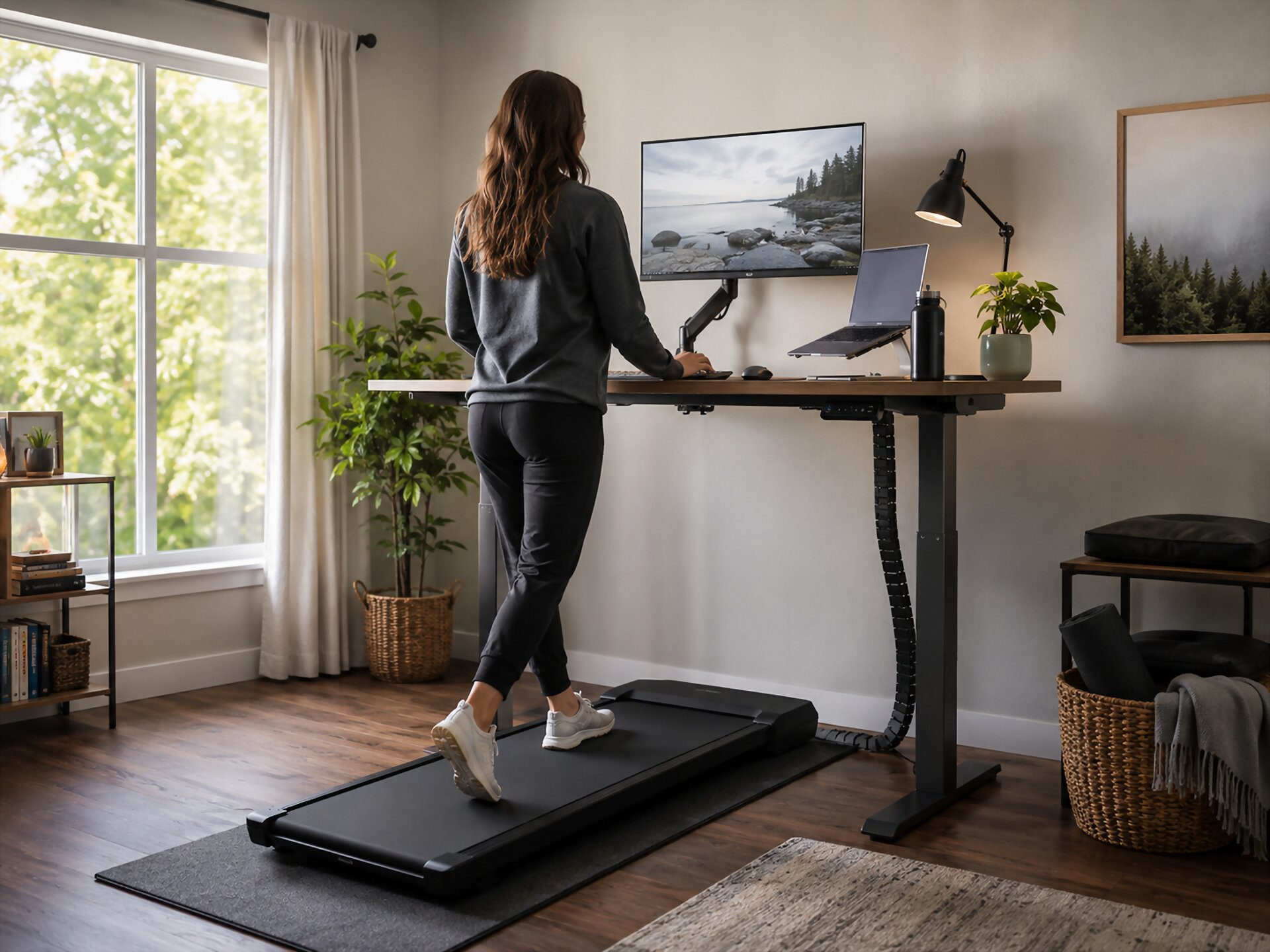
Walking Pad Under‑Desk Setup Guide: Ergonomics, Safety, and “Actually Using It”
The Walking Pad Promise: Why This Setup Fails for Most People
A walking pad under desk setup sounds simple: place the machine under your desk, start walking, and become healthier while answering emails. The reality is less glamorous. Most people do not quit because walking while working is a bad idea. They quit because the setup feels awkward, distracting, or harder than expected.
The biggest mistake is treating a walking pad like a full workout machine. At a desk, the goal is not speed, sweat, or perfect fitness tracking. The goal is gentle movement that fits naturally into your workday. If you try to walk too fast while typing, reading, or joining calls, your focus drops and the walking pad starts to feel like a chore.
Common reasons people stop using a walking pad
- The desk height is wrong, which causes shoulder, wrist, or neck strain.
- The screen is too low, so the user looks down while walking.
- The walking speed is too high for focused work.
- The machine is too loud for calls or shared spaces.
- The user expects to walk for hours right away.
- Shoes, cables, pets, clutter, or storage problems make the habit inconvenient.
A good walking pad setup should feel boring in the best way. Your arms should rest comfortably, your eyes should face the screen naturally, and your pace should be slow enough that you can think clearly. For many people, that means using the walking pad during simple tasks like inbox cleanup, light reading, planning, or casual meetings.
The real promise of a walking pad is not becoming productive every second of the day. It is reducing long sitting time without turning work into a fitness challenge. Once you lower the pressure and design the setup around comfort, safety, and realistic use, the walking pad becomes much easier to keep using.
Build the Setup Around Your Body, Not the Gadget
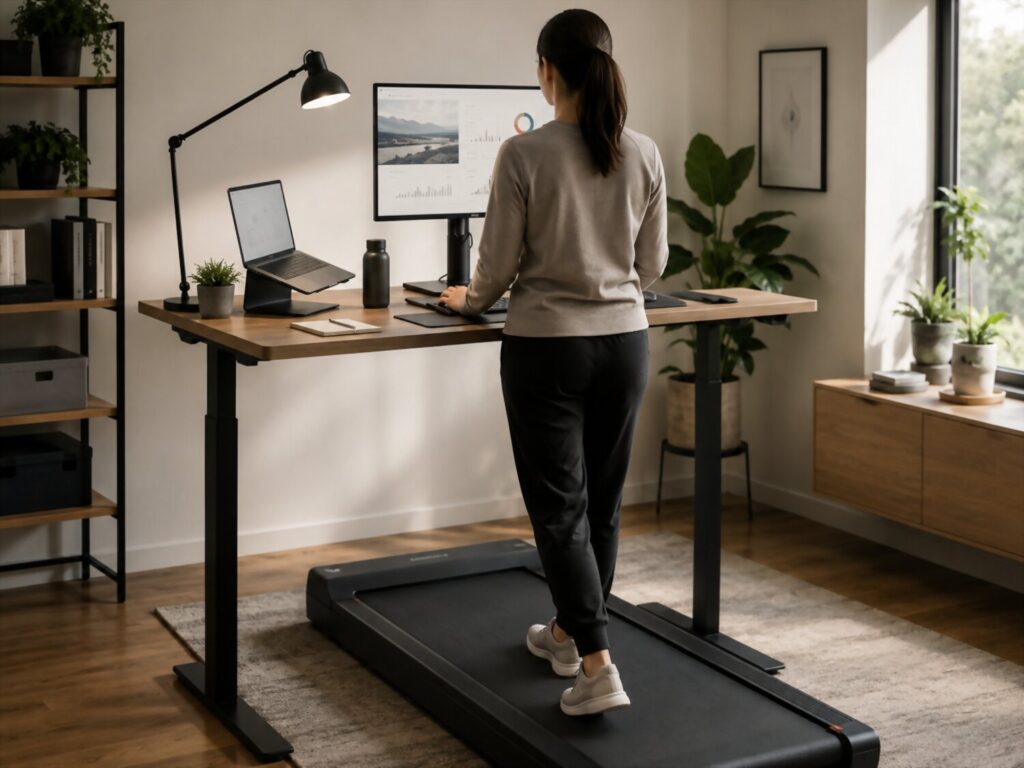
A walking pad under desk setup should start with your body, not with the machine. The walking pad is only one part of the workspace. If your desk, screen, keyboard, and posture are wrong, even the best walking pad can feel uncomfortable after a few minutes.
The goal is not to force your body to adapt to a trendy office gadget. The goal is to create a workstation where gentle walking feels natural, stable, and easy to repeat. Good ergonomics can help reduce unnecessary strain on your neck, shoulders, wrists, hips, and lower back while you work.
The comfort check
Before turning on the walking pad, stand at your desk and notice how your body feels. Your screen should be close to eye level, so you are not looking down for long periods. Your shoulders should feel relaxed, not lifted. Your elbows should rest near your sides, and your hands should reach the keyboard without bending your wrists sharply.
Your feet also matter. You should have enough space to step naturally without shortening your stride. If the walking surface feels too narrow or your desk forces you to stand too close to the screen, the setup may feel tense instead of helpful.
- Raise the monitor so your eyes face the upper part of the screen.
- Keep the keyboard and mouse at a height where your elbows can stay relaxed.
- Use a desk height that lets you stand tall without shrugging your shoulders.
- Place the walking pad straight under the desk so your body does not twist.
- Keep the floor clear around the machine to avoid trips and awkward steps.
- Wear supportive shoes that feel stable at a slow walking pace.
A common mistake is using a laptop alone on a standing desk. This often places the screen too low or the keyboard too high. A better setup usually includes a separate keyboard, a separate mouse, and a raised screen. This lets your eyes, hands, and shoulders work in a more natural position.
Speed is part of ergonomics too. If you walk too fast, your hands may bounce on the keyboard, your mouse control may suffer, and your posture may become stiff. For focused work, many people do better with a slow pace that feels almost too easy. The right pace is the one that lets you type, read, and think without bracing your body.
A chair should still be part of the setup. Sitting is not failure. Some tasks require stillness, precision, or deeper focus. Moving between sitting, standing, and walking can be more realistic than trying to walk all day. A walking pad works best when it adds movement to your day without turning your workspace into a workout station.
The “Can I Do This While Walking?” Task Map
A walking pad under desk setup works best when you match the movement to the right kind of work. The goal is not to prove that every task can be done while walking. The goal is to use your walking pad during tasks that allow your body to move without stealing too much attention from your brain.
Walking while working adds a small layer of effort. For simple tasks, that effort may feel energizing. For complex tasks, it can become distracting. This is why many people enjoy walking during light admin work but prefer sitting for deep writing, detailed design, financial decisions, or anything that requires precision.
Best tasks for walking
- Clearing your inbox
Email sorting, simple replies, newsletter cleanup, and calendar checks are often easy to pair with slow walking. - Reading light material
Reports, articles, meeting notes, and research scans can work well if the text does not require intense focus. - Planning your day
Reviewing priorities, organizing tasks, and checking project boards can feel more active and less sluggish while walking. - Listening meetings
Calls where you mainly listen are often a good fit, especially if your walking pad is quiet and your pace is slow. - Brainstorming
Gentle movement can make idea generation feel less stiff, especially when you are outlining, mind mapping, or thinking through options.
Tasks that usually work better seated
- Writing difficult sections
Careful wording, editing, and strategic writing often need stillness and tighter focus. - Spreadsheet work
Detailed numbers, formulas, small cells, and frequent mouse movements can become frustrating while walking. - Design or visual work
Layout, image editing, drawing, and color decisions usually require more control than walking allows. - Coding or technical problem solving
Some light review may be fine, but debugging and complex logic often need a seated posture. - Sensitive calls
Interviews, negotiations, medical discussions, financial conversations, or emotional conversations are usually better handled without movement distractions.
The best way to use this task map is to choose one walking category first. For example, make your morning inbox cleanup a walking block, or use the walking pad during weekly planning. Once that feels natural, add another task type.
Speed matters here. A slow pace can support focus, while a faster pace can turn even simple work into a balancing act. You should be able to speak normally, type without tension, and step off safely whenever needed. If a task starts feeling clumsy, the problem may not be your discipline. It may simply be the wrong task for walking.
Safety Rules That Do Not Make You Feel Like You Are in a Manual
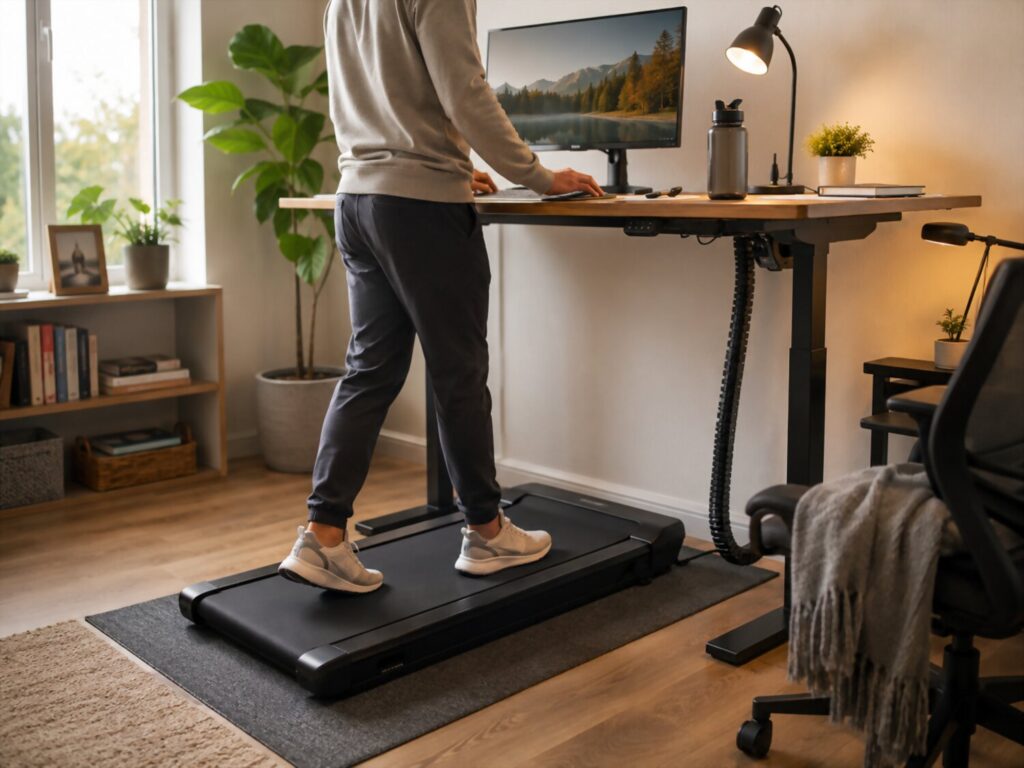
A walking pad under desk setup should feel easy, but it still needs basic safety habits. You are using a moving surface while working, reading, typing, and thinking, so small details matter. The safest setup is not dramatic or complicated. It is calm, clear, and predictable.
The first rule is to start slower than you think you need. A slow walking speed gives your body time to adjust and helps you stay focused on work instead of balance. If you feel rushed, tense, or distracted, the pace is probably too fast for desk work. Walking while working is not a fitness test. It is a way to add gentle movement to your day.
Simple safety rules that actually matter
- Keep the floor clear
Cables, bags, shoes, toys, and storage bins should stay away from the walking area. A clean floor makes it easier to step on and off safely. - Use the safety key if your walking pad has one
The safety key can stop the machine quickly if you lose balance or need to step away. - Avoid hot drinks while walking
Coffee, tea, and soup can spill if your hand bumps the desk or your stride changes. Keep drinks on a stable surface away from the edge. - Step off before checking your phone
Looking down at a phone can affect balance. Pause the walking pad or step onto the side rails before reading messages. - Give pets and children space
A moving belt can surprise pets or small children. Use the walking pad only when the area around it is calm and clear. - Wear stable footwear
Supportive shoes can help your feet land naturally. Avoid loose slippers, socks on slippery surfaces, or anything that makes your steps feel unstable. - Keep the speed work friendly
You should be able to speak normally, type without bracing your shoulders, and stop safely. If you cannot do those things, slow down.
Noise is also part of safety and comfort. A loud walking pad can make calls stressful and may bother people nearby. Place the machine on a stable, level floor, check that it is centered under the desk, and follow the care instructions from the manufacturer. If the belt shifts, rubs, or sounds unusual, stop using it until you inspect the issue.
Pay attention to your body. Mild adjustment is normal when you start using a new setup, but pain, dizziness, numbness, or sharp discomfort is a sign to stop. Sitting down, lowering the speed, changing shoes, or adjusting desk height is smarter than pushing through. A walking pad should support your workday, not turn it into a risky balancing act.
The Abandonment Prevention Plan: How to Actually Use It After Week One
A walking pad under desk setup is exciting on day one. The harder part is using it on day eight, day twenty, and during a busy work month when motivation is low. Most people do not need a more intense plan. They need a walking habit that is easy enough to repeat.
The secret is to make the walking pad part of your normal workflow, not a separate fitness project. If using it requires moving furniture, finding shoes, changing clothes, clearing clutter, and deciding what to do, you will avoid it. The easier the start, the more likely you are to use it.
A realistic habit plan
- Start with ten minutes
Ten minutes is enough to build the routine without making your workday feel disrupted. Once it feels normal, increase the time slowly. - Pair walking with one repeatable task
Choose a task you already do often, such as checking email, reviewing your calendar, reading notes, or planning the day. This removes the need to decide when to walk. - Keep your shoes nearby
Supportive shoes should be visible and easy to grab. If you need to search for them, the habit becomes easier to skip. - Use a default speed
Pick a slow pace that feels comfortable for typing and reading. You can adjust later, but a default setting makes starting simpler. - Create walking blocks, not walking pressure
A walking block can be fifteen minutes during inbox cleanup or twenty minutes during a listening meeting. You do not need to walk for hours to benefit from less sitting. - Let sitting stay normal
Some work is better done seated. Deep writing, detailed spreadsheets, design work, and serious calls may require stillness. Switching between sitting and walking is more sustainable than trying to walk through everything.
A walking pad becomes useful when it feels boring, available, and low effort. You should not need motivation every time. The setup should quietly invite you to step on during simple tasks.
Tracking can help, but it should not become another source of pressure. A basic note, calendar checkmark, or step count can show progress without turning the habit into a competition. The goal is consistency, not perfection.
It also helps to prepare for low energy days. On days when you feel tired, walk slower or for less time instead of skipping completely. Even a short session can keep the routine alive. On days when your schedule is packed, use the walking pad during one light task and then return to seated work.
The best walking pad routine is the one that survives real life. It works when you are busy, when your focus is limited, and when the novelty is gone. That is why the most effective plan is simple: keep the setup ready, connect it to ordinary work, and make the first few minutes almost effortless.
The Real Life Setup Checklist: Before You Hit Start
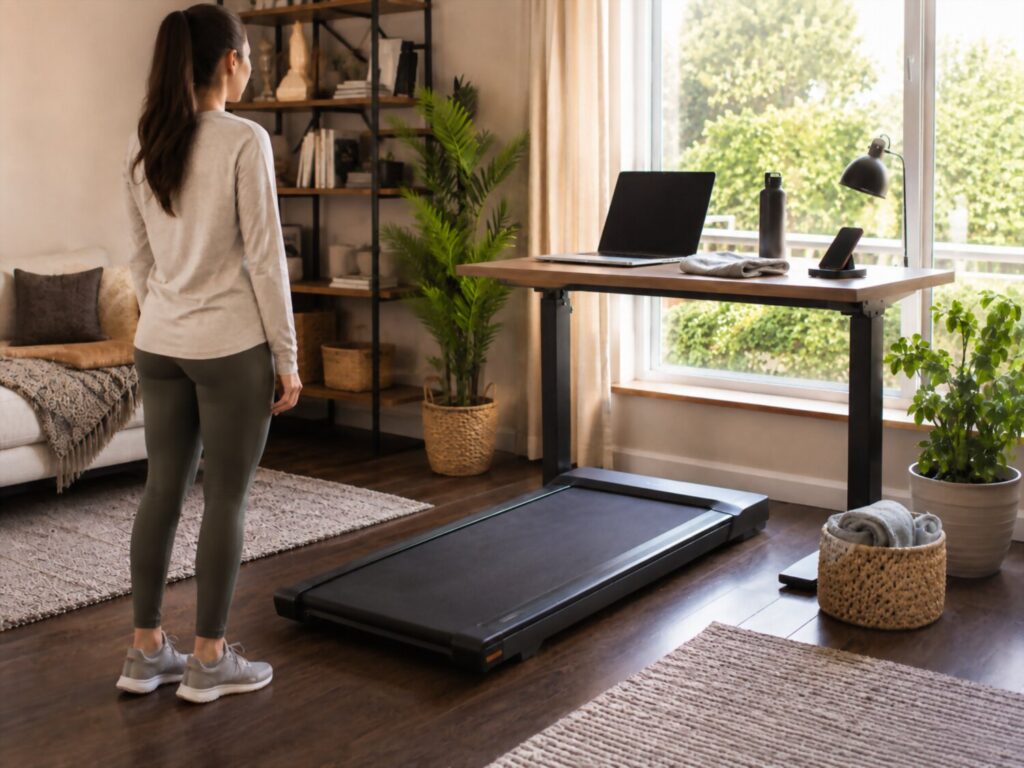
A walking pad under desk setup works best when it is ready before you press start. The goal is to remove friction, reduce safety risks, and make the workspace comfortable enough for real daily use. A few minutes of setup can prevent neck strain, awkward typing, loud calls, and the kind of small annoyances that make people stop using the walking pad.
Desk and screen position
Your desk should let you stand tall without lifting your shoulders. The screen should sit near eye level, so your head stays neutral instead of tilted down. If you use a laptop, a raised stand with a separate keyboard and mouse usually feels better than typing directly on the laptop.
Keyboard and mouse comfort
Your elbows should stay close to your body, and your wrists should feel relaxed. If your hands bounce while typing, lower the walking speed. If your shoulders rise while working, adjust the desk height or keyboard position before continuing.
Walking pad placement
Place the walking pad straight under the desk, not at an angle. You should be able to step naturally without twisting your hips or reaching forward. Leave enough open space behind and beside the machine so you can step off safely.
Cable and floor check
Before walking, look at the floor around the setup. Charging cables, power cords, bags, shoes, pet toys, and storage boxes should be away from your feet. A clean floor is one of the simplest ways to make a walking pad safer and easier to use.
Footwear and clothing
Supportive shoes can make slow walking more stable and comfortable. Avoid loose slippers, slippery socks, or long clothing that could affect your stride. The right footwear is not about athletic performance. It is about steady steps during work.
Speed and task choice
Start with a slow pace that lets you speak, type, and read without tension. Use the walking pad first for lighter tasks such as email cleanup, planning, reading notes, or listening meetings. Save detailed writing, design work, spreadsheets, and sensitive calls for seated work if walking makes them harder.
Noise and shared space
Check how the walking pad sounds before joining a call. A stable floor, centered belt, and proper maintenance can reduce unwanted noise. If you work near other people, choose walking times that do not disturb their focus.
Body signal check
The setup should feel comfortable, not forced. Stop walking if you feel pain, dizziness, numbness, sharp discomfort, or unusual fatigue. Adjust the speed, shoes, desk height, or task before trying again. A good walking pad routine should support your workday while keeping movement gentle and controlled.
Conclusion: Make Movement Easy Enough to Repeat
A walking pad under desk setup works best when it feels practical, safe, and natural. It is not about turning your workday into a workout. It is about adding gentle movement to tasks that already fit walking, such as reading, planning, inbox cleanup, and listening meetings.
The most useful setup is built around basic ergonomics: a screen near eye level, relaxed shoulders, neutral wrists, stable footing, and a desk height that supports your body instead of forcing awkward posture. Walking itself is a normal form of human movement, but working while walking still requires a slower pace, clear floor space, and attention to balance. For more background, see Wikipedia’s pages on walking, physical activity, and treadmill desks.
The real win is consistency. Keep the walking pad ready, choose low pressure tasks, sit when precision matters, and stop if your body sends warning signs. A walking pad should make the workday feel more active and less stiff, not more stressful.